Map the project
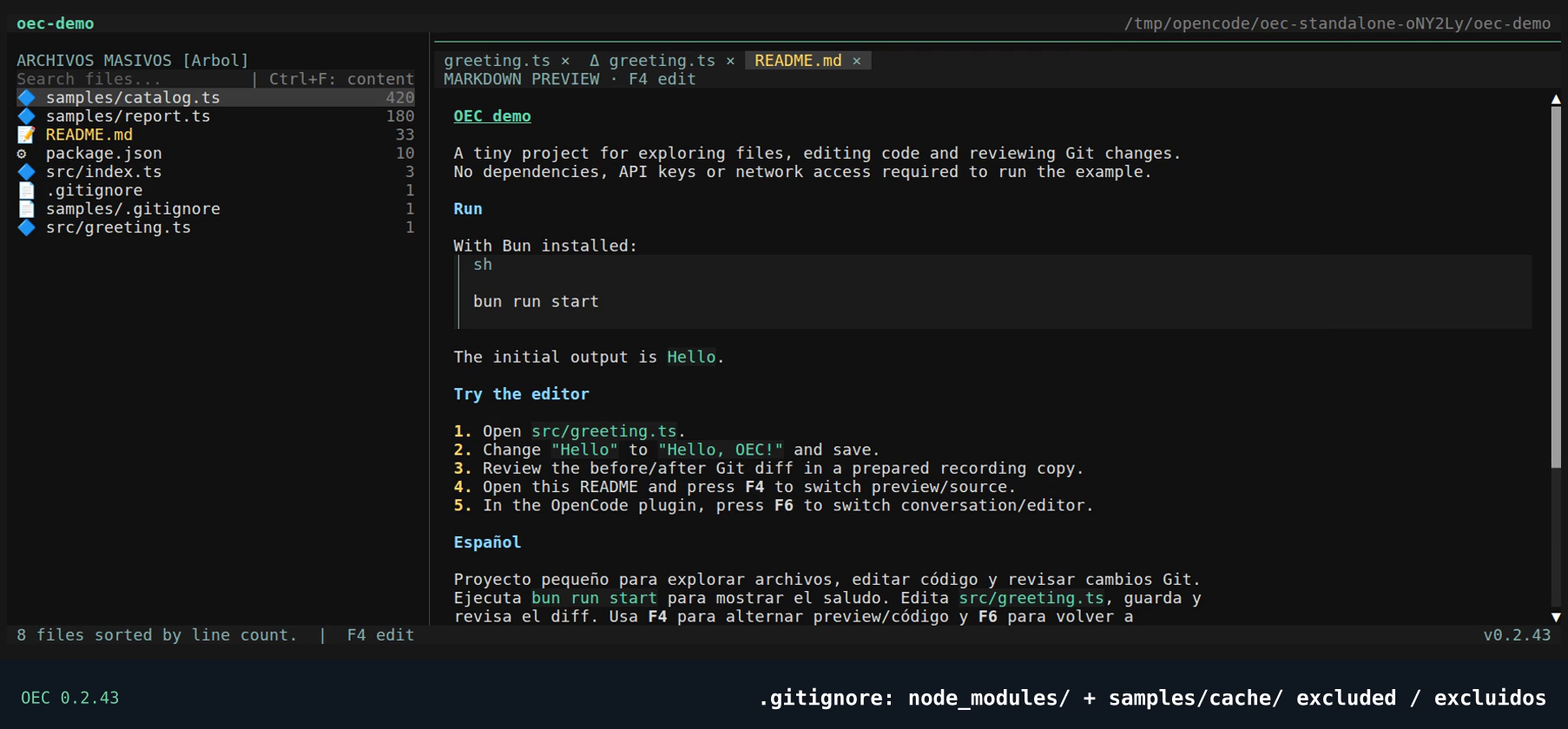
Browse a virtualized tree and rank text files by line count, excluding paths ignored by root and nested .gitignore files.
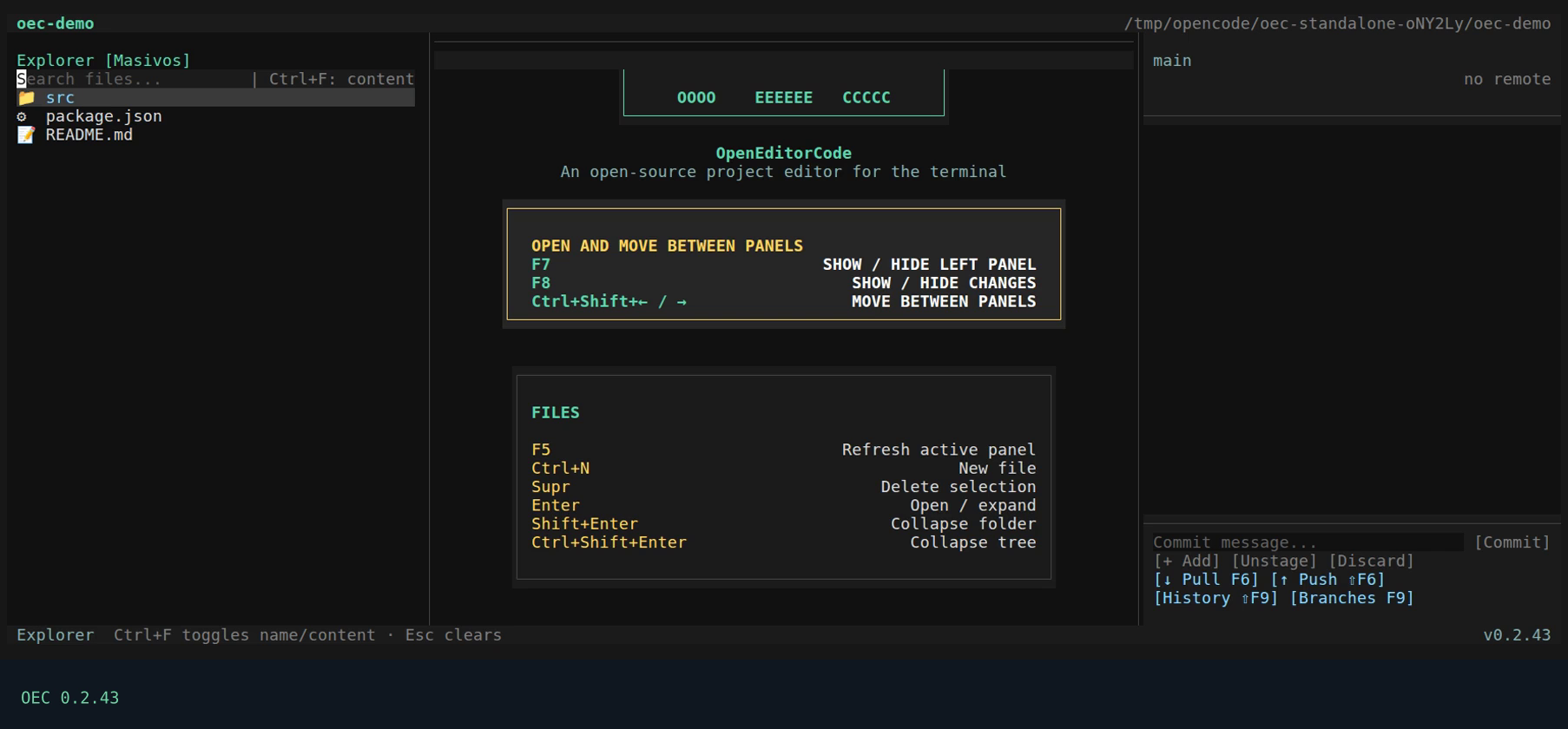
  OOOO    EEEEEE   CCCCC
 O    O   EE       CC
 O    O   EEEE     CC
 O    O   EE       CC
  OOOO    EEEEEE   CCCCC
OpenEditorCode
OpenEditorCode is a keyboard-first editor for exploring, editing, searching, and reviewing Git changes without leaving your terminal.
OEC keeps the operations that shape a coding session close together, while your project stays local.
Browse a virtualized tree and rank text files by line count, excluding paths ignored by root and nested .gitignore files.
Edit across tabs, format source, read richer Markdown and toggle SVG preview/XML with F4.
Keep a hierarchical name/content filter in Explorer, or use advanced project search, respecting .gitignore.
Select nested Git repositories, stage and commit, sync, and inspect aligned diffs and history.
Edit locally without OpenCode or a server. Git remotes and installation updates use the network when requested or enabled.
Project document helpers validate paths and reject binary, invalid UTF-8, and oversized text. The reference explains scope and limits.
Global settings live outside projects. A project may override preferences in .oec/config.json.
Explorer, editor, search, dialogs, and Git changes remain operable without a mouse.
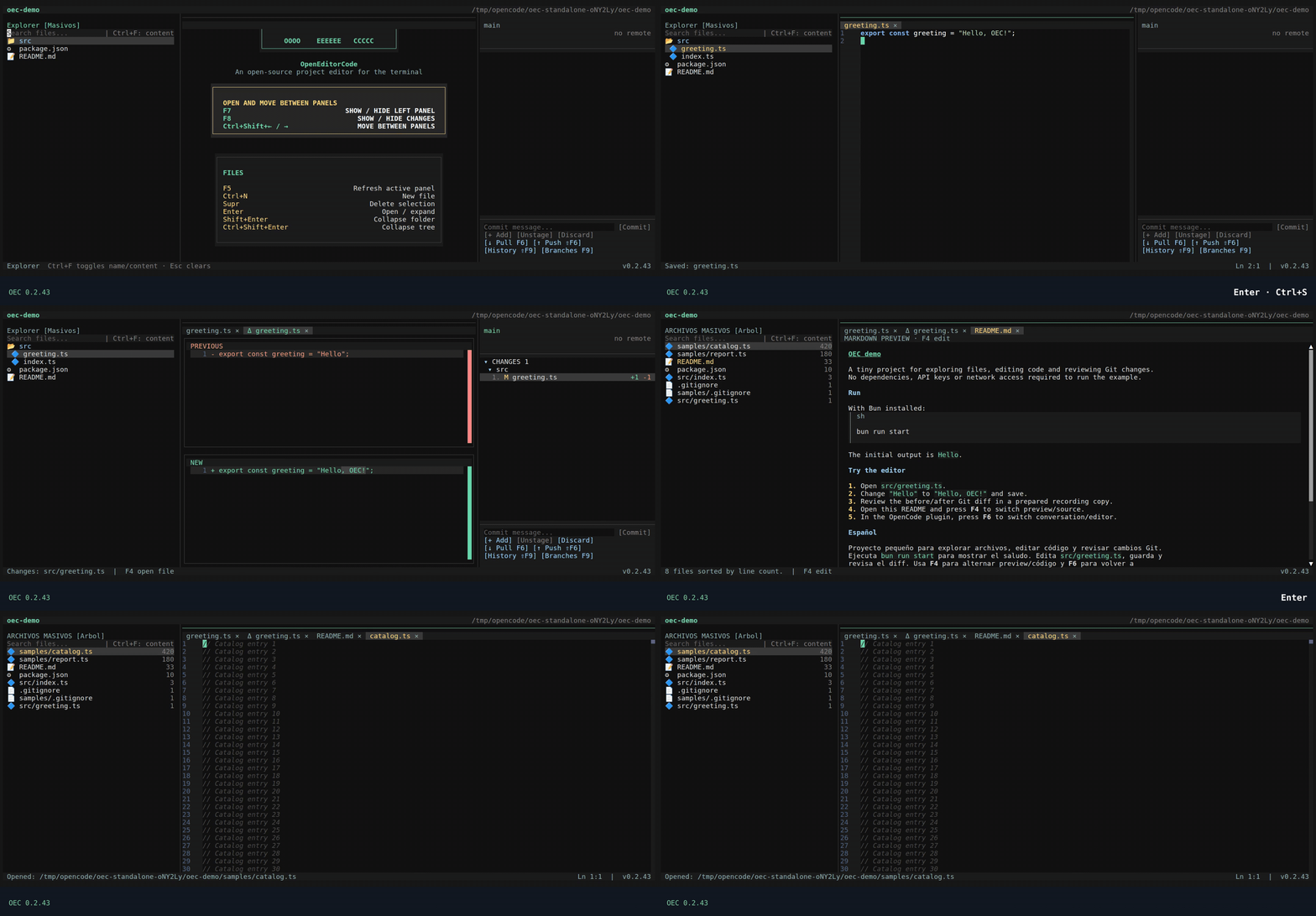
Real recording with visible shortcuts: edit and save, review the Git diff, toggle Markdown with F4 and rank massive files by lines. Excludes paths ignored by root and nested .gitignore files.
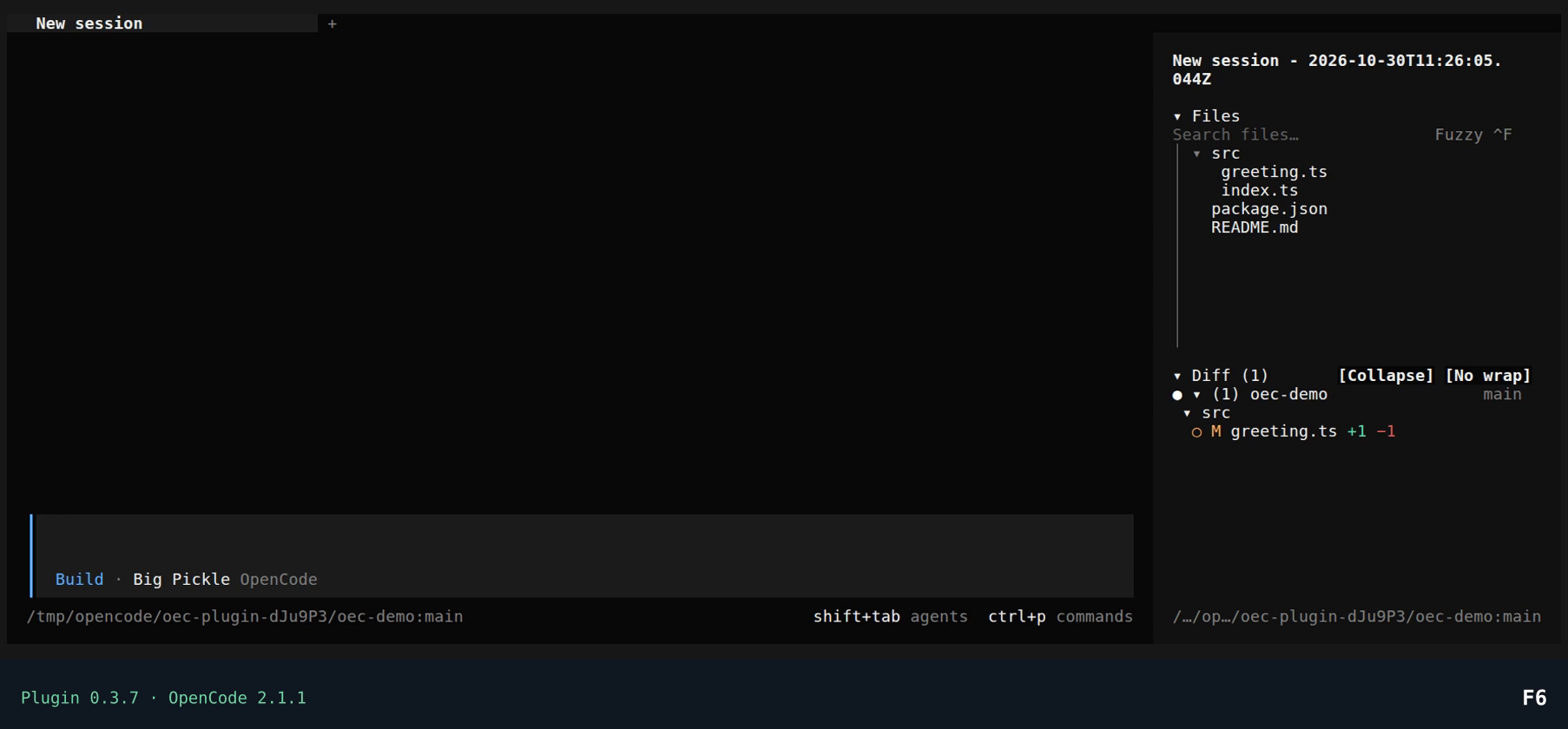
Explore, edit and review your project inside OpenCode 2. Keep the conversation open, then jump into your own document tabs without losing edits, cursor or scroll.
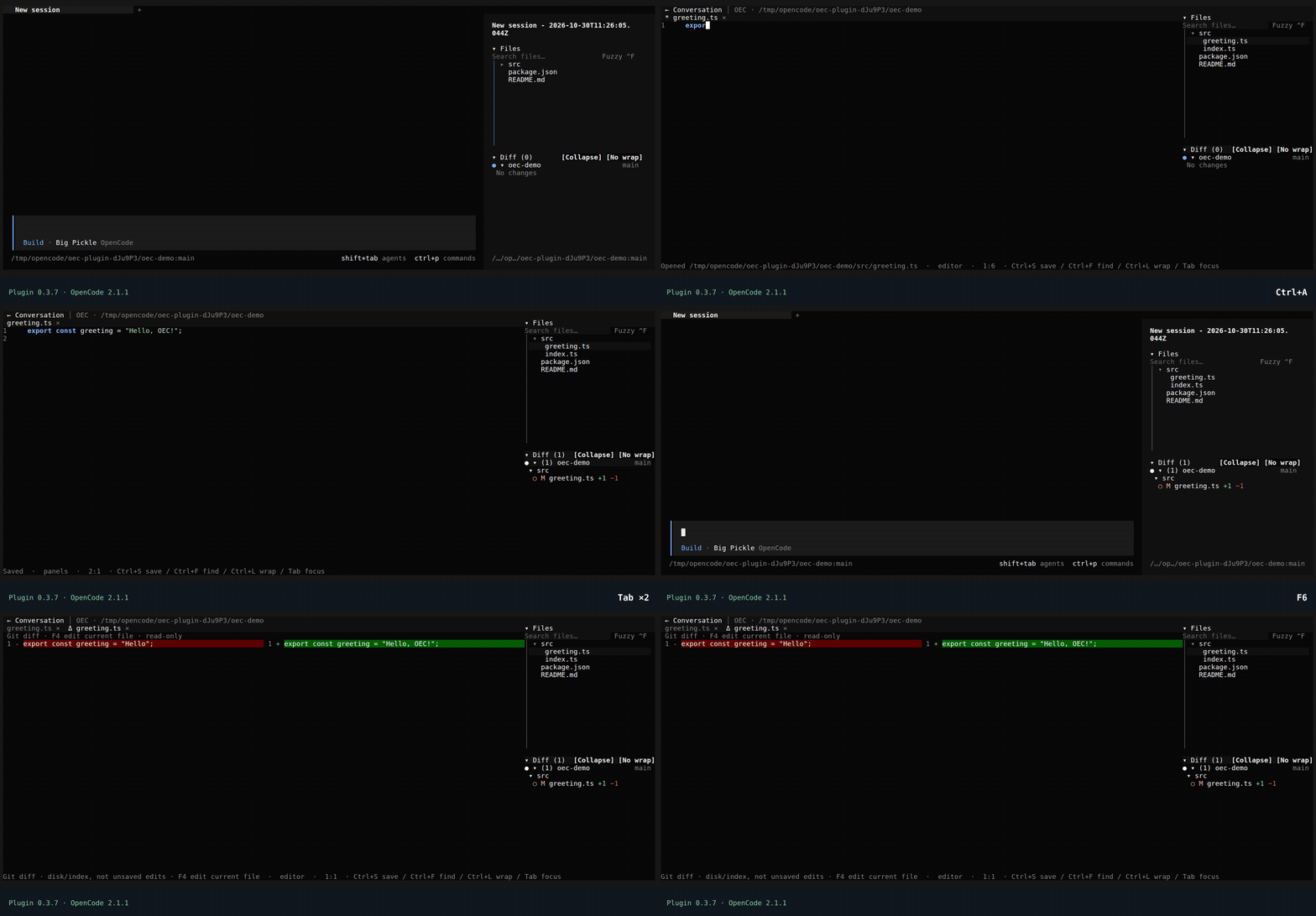
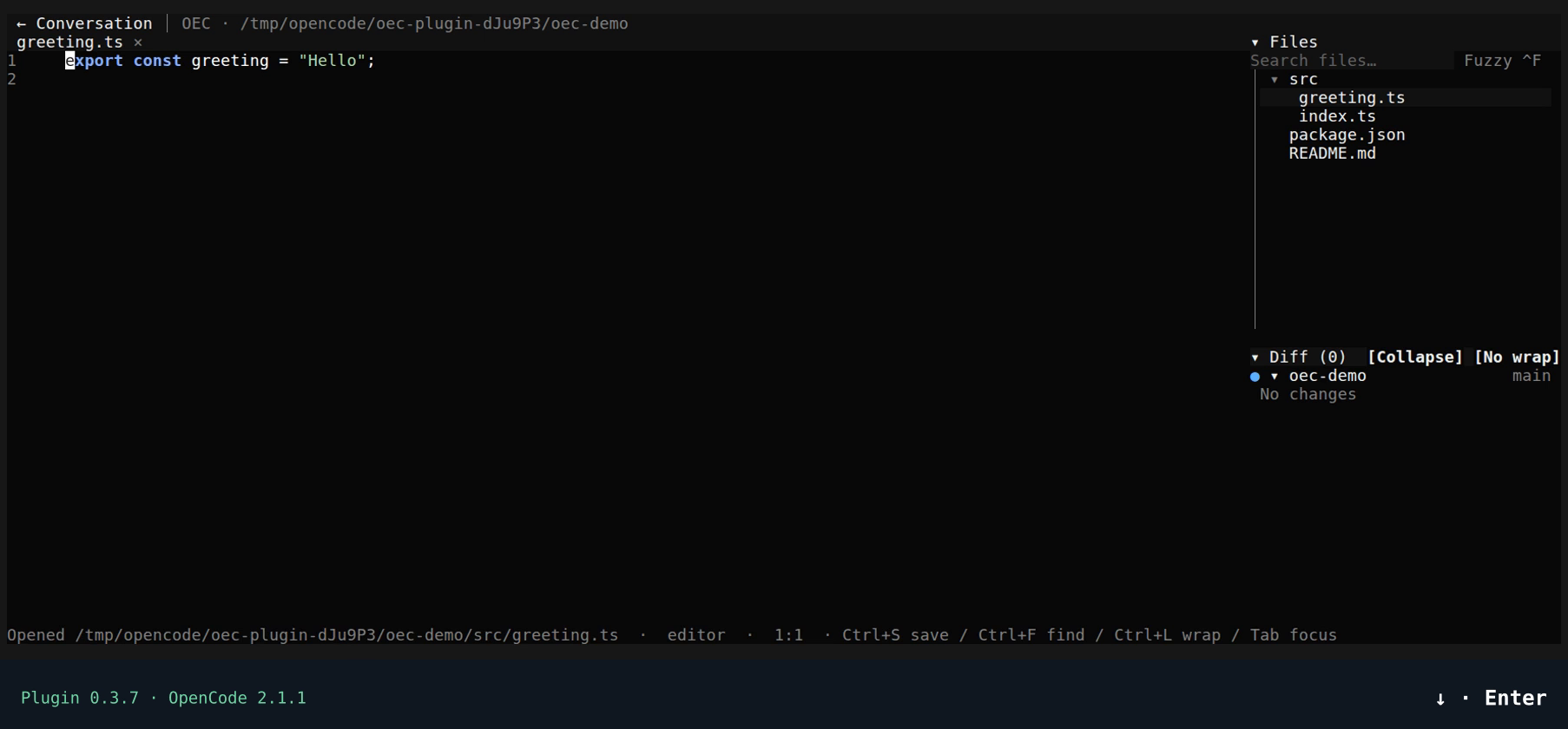
Real recording with visible shortcuts in an empty example session: Files → editor → Ctrl+S → repository/branch Diff → conversation/editor with F6. No model requests are made.
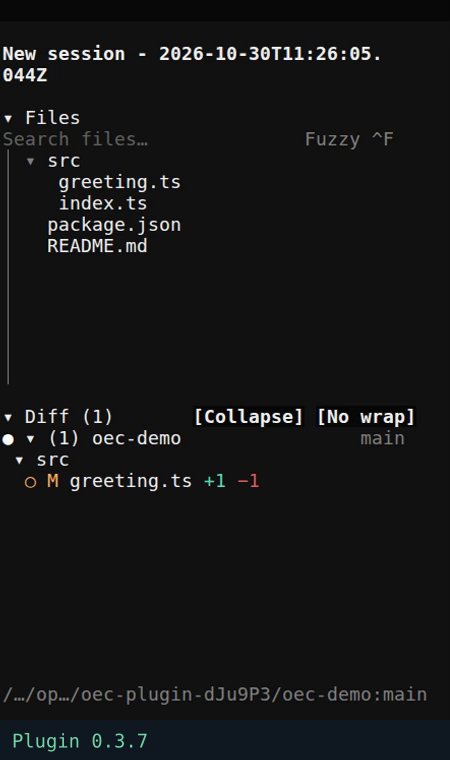
Crop of the new session capture; panel contents are not altered.
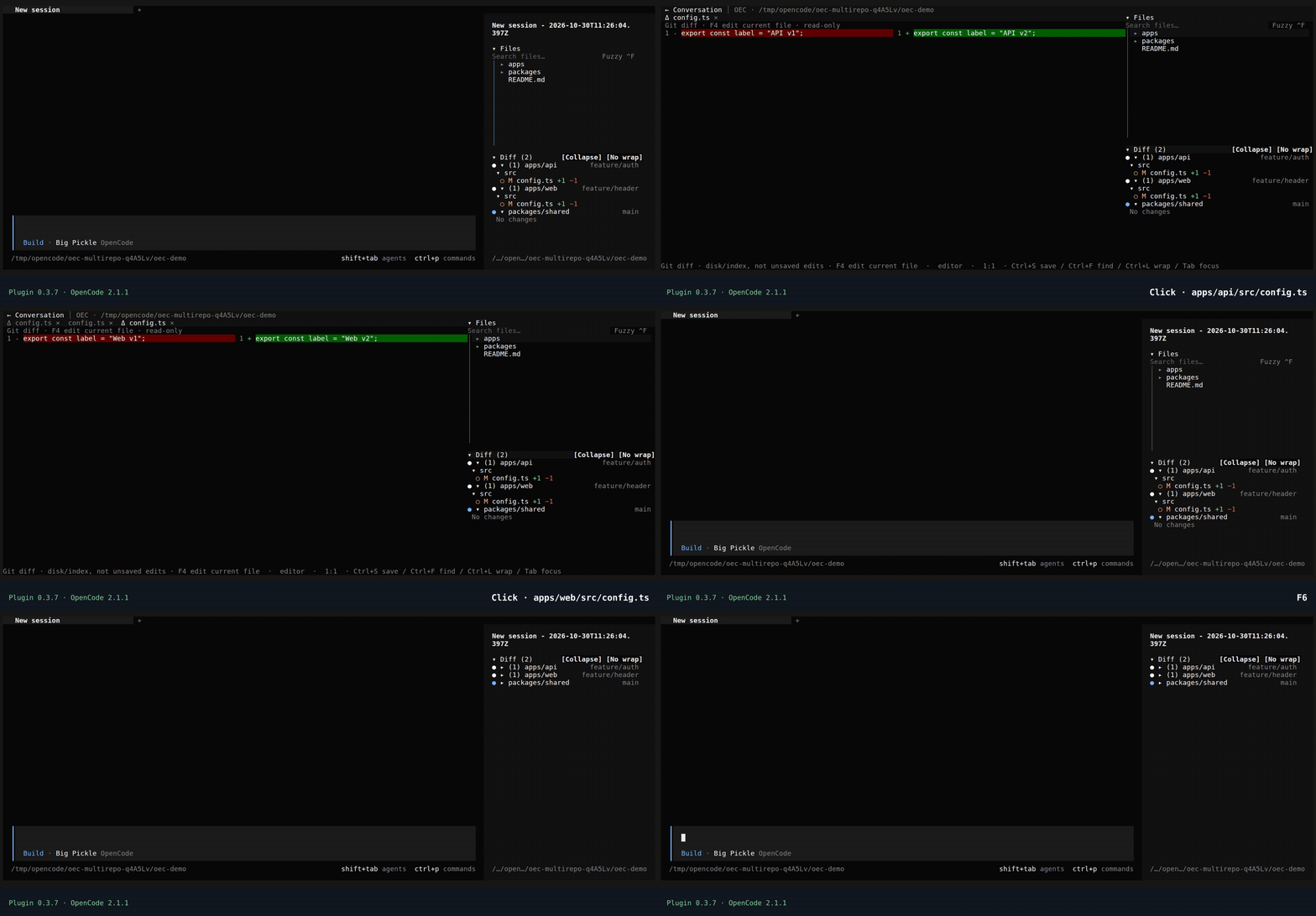
Three independent Git repositories inside a folder with no .git of its own. Diff separates each repository's branch, count and files, including the clean repository. Both src/config.ts files open their own diffs and F4 never mixes their paths. No Getting started card.
Open the folder containing your projects in OpenCode and authorize that local directory. Each repository keeps its branch, history and files. Diff groups changes by repository; this is not one shared branch or a Git monorepo.
workspace/
├── apps/api/        # .git · feature/auth · 1 modified file
├── apps/web/        # .git · feature/header · 1 modified file
└── packages/shared/ # .git · main · clean
Diff (2) counts unique files per repository: two files called src/config.ts count as two because they belong to different repositories. One file with both staged and unstaged changes counts once within its repository; its areas can be inspected separately. F4 always resolves the selected repository's file. The plugin only reads Git: it does not merge histories, commit or discard changes.
How discovery works and its limits →Read formatted Markdown and press F4 to edit. Open PNG, JPEG, GIF or WebP from Files: each appears in its own tab without leaving the terminal.
View images and configure your terminal →Inspect staged and disk changes in the Diff tree. Enter opens the file diff; F4 opens its current editable version without closing the comparison. The plugin does not commit or discard work.
Understand Diff and its tabs →Locate configuration with opencode debug paths config and merge this entry into plugins in global cli.json, preserving existing settings. Restart and confirm local project access.
{
  "$schema": "https://opencode.ai/v2/cli.json",
  "plugins": [
    {
      "package": "@2jmalvarez/opencode-editor@0.3.7",
      "options": {
        "toggleBinding": "f6",
        "filesBinding": "f7",
        "diffBinding": "f8",
        "explorerWidth": 30
      }
    }
  ]
}
Available now: OEC 0.2.43 and plugin 0.3.7, published and verified. Includes nested .gitignore support, draggable editor scrollbars, Spanish/English plugin UI and responsive repository/branch Diff controls.
Defaults · F6 conversation/editor · F7 Files · F8 Diff. Standalone OEC remains independent. This plugin does not include all standalone capabilities.
Every action, its context and its limits. From your first file to the editor’s architecture, in Spanish and English.
Choose one method for the standalone editor, or integrate it into OpenCode as a plugin.
Install the standalone editor with npm. Requires Node.js 18 or later and npm.
npm install -g openeditorcodeOpen a project with oec . or openeditorcode .
Requirements and full guide →Download the binary with the official installer. Requires Bash, curl and sha256sum; no npm or Bun needed.
curl -fsSL https://raw.githubusercontent.com/2jmalvarez/openeditorcode/main/install.sh | bashInstalls into ~/.local/bin and verifies SHA-256. Reopen your terminal and run oec .
You can download and inspect the script before running it. Choose one method to avoid conflicting installations.
Requirements and full guide →Install the binary with PowerShell 5.1 or later. No Node.js, npm or Bun; no execution policy changes.
& ([scriptblock]::Create((Invoke-WebRequest -UseBasicParsing 'https://raw.githubusercontent.com/2jmalvarez/openeditorcode/main/install.ps1').Content))Verifies SHA-256 and updates user and session PATH. Then run oec .
You can download and inspect the script before running it. Choose one method to avoid conflicting installations.
Requirements and full guide →Does not install the standalone editor. Locate your configuration with opencode debug paths config and merge this plugins entry into global cli.json, preserving your other settings.
{
  "$schema": "https://opencode.ai/v2/cli.json",
  "plugins": [
    {
      "package": "@2jmalvarez/opencode-editor@0.3.7",
      "options": {
        "toggleBinding": "f6",
        "filesBinding": "f7",
        "diffBinding": "f8",
        "explorerWidth": 30
      }
    }
  ]
}Restart OpenCode, open OEC: opencode-editor from Ctrl+P and confirm local access. F6 switches between conversation and editor.
Installation by name verified with OpenCode 2.1.1. The guide details the Windows/Linux matrix and its limits; do not use plugin versions before 0.3.1 with OpenCode 2.1.x. View status ↗
Requirements and full guide →Support the development and maintenance of OpenEditorCode and its OpenCode plugin with a one-time or monthly contribution through GitHub Sponsors.
Contributions go to the maintainer’s personal account, @2jmalvarez. Payment is handled on GitHub, not on this website. Supporting the project is optional: OEC remains open source.